To-do list app
A to-do list that starts with today
Add tasks with due dates and priorities. See what is due today and what is coming, and switch between a list, a board and a calendar. On Android, a reminder tells you when it is time.

Free · No ads · On the web and Android
Today and upcoming
Today first, then what is next
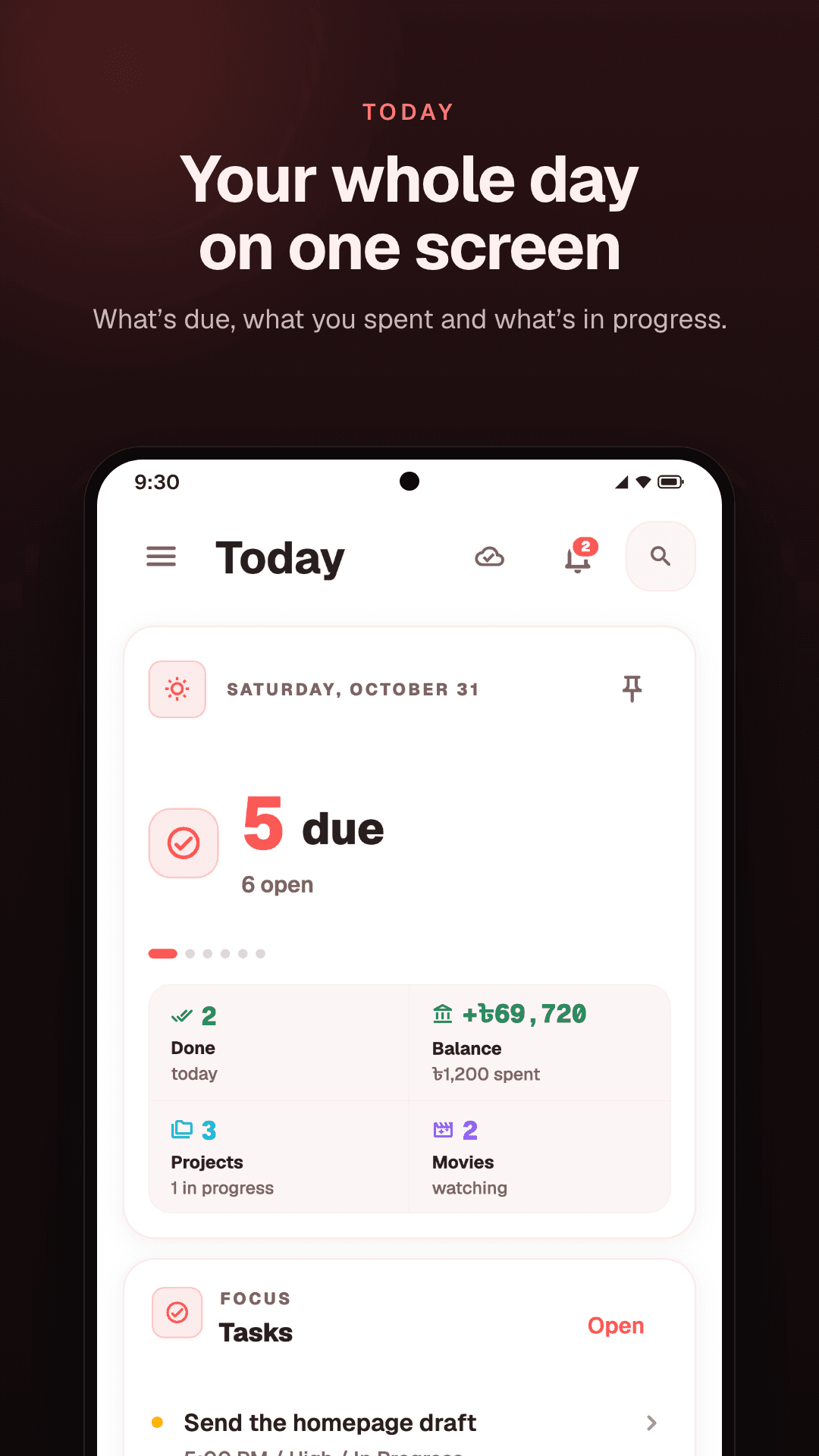
Today shows the tasks due today, so the day starts with a short list rather than everything at once. Upcoming shows what comes after, so a task due on Thursday is not news on Thursday.
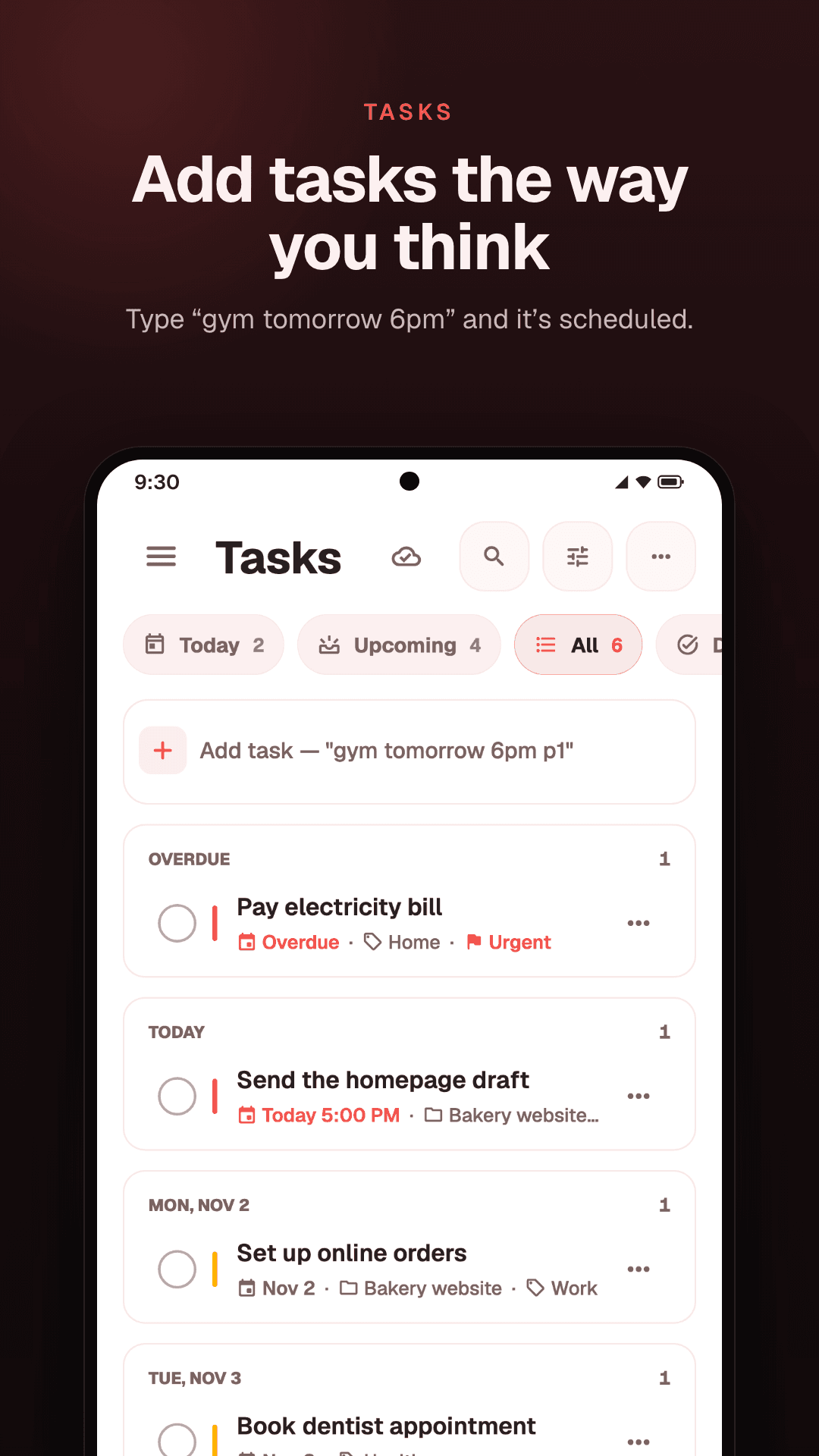
On Android these are the Today, Upcoming, All and Done tabs. On the web they are Today, Tomorrow and Next 7 days, with an Inbox for tasks that have no date or area yet.
Views
A list, a board or a calendar
The same tasks, drawn three ways. Switch whenever the job in front of you changes.
List
The quickest way through a day: one line per task, ticked off as you go, with late tasks easy to spot.
Board
A column for each stage of the work. A task moves along as the work moves, so you can see what is waiting and what is under way.
Calendar
Tasks on the days they are due. See a busy week coming, and spread the work out before it arrives.
Priorities and areas
What matters, and where it belongs
Give a task a priority so the important ones stand out, and an area, like Home, Work or Health, so you can look at one part of your life at a time: Work during the day, Home in the evening.
A late task is marked in red, and it stays on your list until you finish it or give it a new date.
Quick add
Type it the way you would say it
On Android, type a task the way you would say it, like “gym tomorrow 6pm”, and Locus sets the day and the time for you. The time stays where you put it once it syncs, so 6 PM on your phone is 6 PM on the web too.
Reminders
A nudge at the right time
On Android, set a reminder on a task and your phone shows a notification when it is time. A home-screen widget opens a new task in one tap. The web app does not send reminders.
Projects
Bigger plans, one step at a time
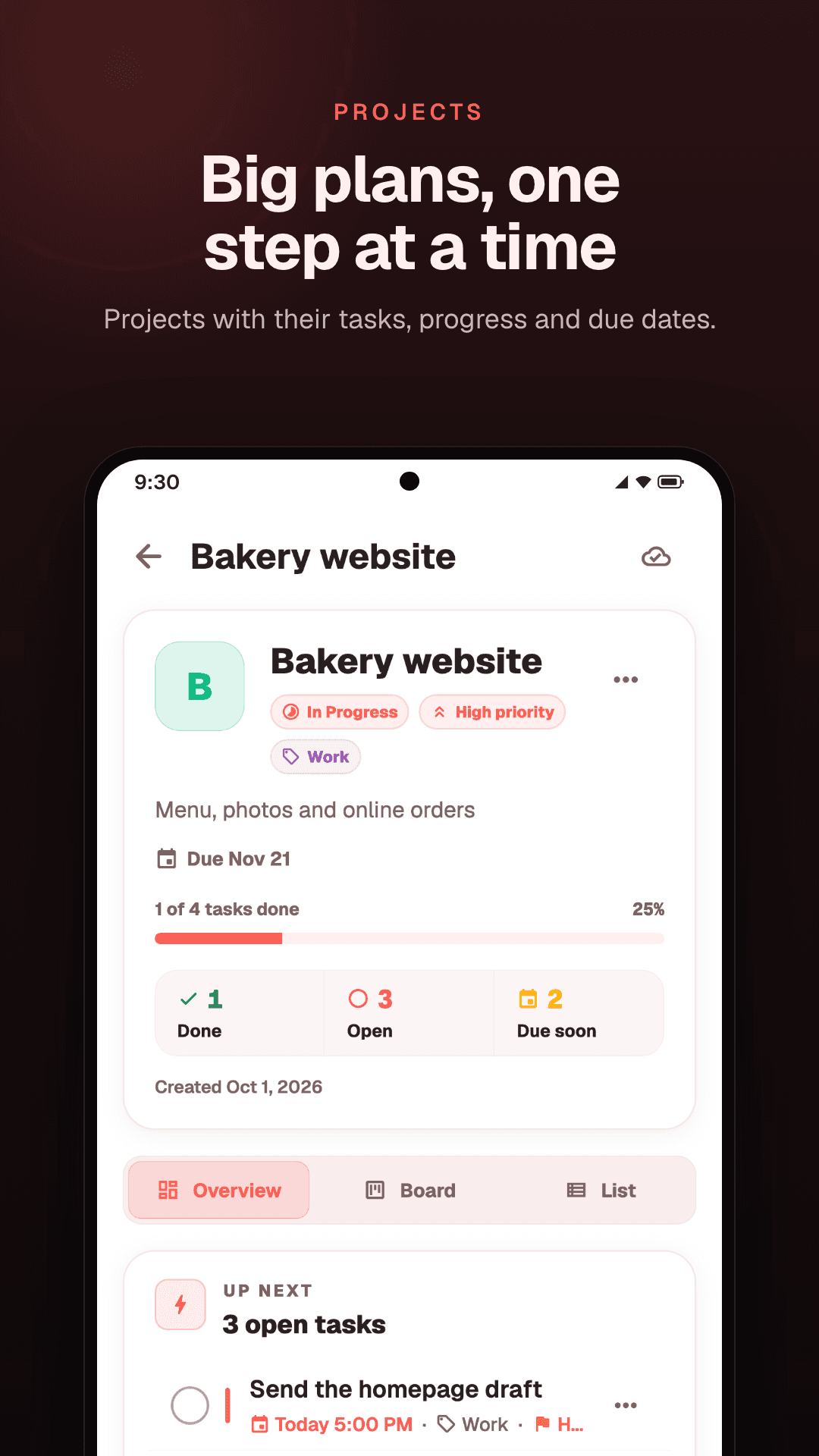
Put the tasks of a bigger plan into a project. Locus shows how many are done and how many are open, how far along it is, and when it is due, and each project has a board of its own.
How it works
Four steps to a clear day
- 01
Add a task
Type what needs doing, and give it a due date if it has one.
- 02
Give it a priority and an area
Mark what matters most, and say which part of your life it belongs to.
- 03
Look at Today
Start the day with what is due, then check what is coming up.
- 04
Tick it off
Mark it done when it is done, and it leaves the list.
Questions
Common questions
Can tasks repeat?
No. Locus has no repeating tasks, so a task that comes back is added again.
Does it send reminders?
On Android, yes: set a reminder on a task and your phone shows a notification. The web app does not send reminders.
Can I type a task in plain words?
On Android, yes: type “gym tomorrow 6pm” and Locus sets the day and the time. On the web you pick the date yourself.
Can I see one part of my life at a time?
Yes. Filter your tasks by area to see only Work, or only Home. On the web, each area also has a page of its own with its tasks, notes and spending.
Can I use it on a computer?
Yes. The web app runs in any browser at locusapp.org and uses the same account as the Android app.
Does it work offline?
The Android app does: add and tick off tasks without a connection, and they sync when you are back online. The web app needs a connection.
How do I break a big job into steps?
Make it a project and give it its own tasks. Locus shows how far along it is as the tasks get done.
Keep reading
- Notes appNotes, lists and checklists, with links from one note to another.
- Second brain appMoney, tasks and notes in one place, grouped by the parts of your life.
- Expense trackerYour balance, what you spent today, a budget for each area, and savings.
- What is a second brain?What it means in plain words, what to keep in one, and how to keep it working.
Start with today.
Tasks, notes and money in one place, on the web and Android.
Free · No ads · On the web and Android