Lending tracker
Keep track of money you lend and borrow
Write down what you lend, what you borrow and every return. Locus adds it up for each person, so you can see who owes you, who you owe, and who is settled.

Free · No ads · On the web and Android
People
A list of people, not a pile of records
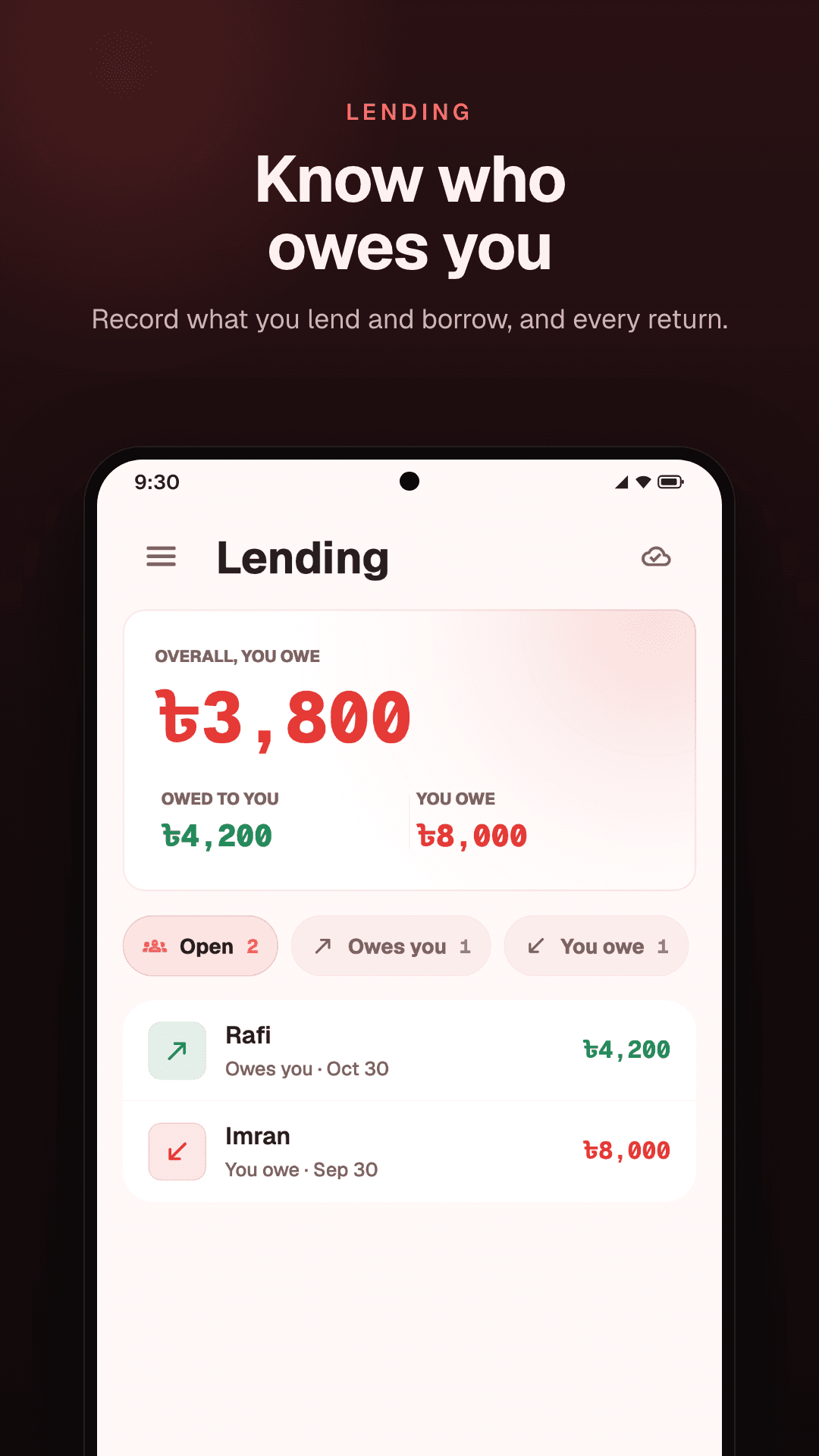
Lending lists the people you have lent to or borrowed from, each with one figure: what they owe you, or what you owe them. At the top, Locus adds up everything owed to you and everything you owe.
Filter the list to Open, Owes you, You owe or Settled, so the people with money still out are the ones you see.
Recording
Lend or borrow in one sheet
Tap Lend or borrow, enter the amount, choose I lent or I borrowed, and type the person's name. Add a note if you want to remember what it was for. The amount field also takes sums like 45 × 3.
Returns
A return is its own entry
When someone pays you back, open their name and tap Return. Enter what came back, or choose All of it. Before you save, Locus tells you where you will stand: “After this, you and Rafi are settled.”
Each return is a line of its own, with its own amount and date. Paid back in three parts? That is three lines, and the balance goes down with each one.
Rafi
- Lent1,000
- Return−400
- Return−300
Balances
A balance you can check
A person's balance is the sum of their lines: what you lent, less what came back. If you also borrowed from the same person, that counts the other way, and Locus shows one figure for both.
Open a name to see the whole history. When everything is paid back, the person moves to Settled, and their history stays.
Your money
Part of your money, not apart from it
Every lending line also shows in Transactions, as “Lent to Rafi” or “Return from Rafi”, and counts in what came in and what went out. Money you lend counts in what you spent that day, as the expense tracker shows.
Everyday lending
For the ways money really moves
A friend's share
Paid for dinner or tickets for someone else? Record their share as money you lent, and it shows as owed until they pay you back.
Family, over months
A larger amount paid back bit by bit. Every part that comes back is a line of its own, so the balance is always clear.
Several people at once
Each person has one figure in the list, and the total owed to you is added up at the top, however many names there are.
How it works
Four steps, and nothing to work out
- 01
Open Lending
It is in Money: the Lending tab on Android, Lends on the web.
- 02
Record a loan
Tap Lend or borrow, enter the amount, choose I lent or I borrowed, and add the name.
- 03
Record each return
When money comes back, open the person and tap Return.
- 04
See who owes you
Owes you and You owe list the open balances; Settled lists the rest.
Questions
Common questions
Does the other person need Locus?
No. Your lending record is yours alone. The people in it do not see it and do not need an account.
Can I track money I borrowed?
Yes. Choose I borrowed when you record it. Locus shows what you owe and to whom, and you record a return when you pay it back.
What does Settled mean?
That nothing is owed either way: everything lent or borrowed has come back. The person moves to Settled, and their history stays.
Can I fix a mistake?
Yes. Open the line in the person's history to change its amount, or delete the line.
Does Locus remind people who owe me?
No. Locus does not contact the people in your record. It keeps the record, so you know what to ask for and can show each line if you are asked.
Is lending on the web as well?
Yes. Lending is on the web and on Android, with the same account, and both record returns the same way.
Keep reading
- Tracking money you lendLend to friends without losing count: what to write down, and how to ask for it back.
- Expense trackerYour balance, what you spent today, a budget for each area, and savings.
- Second brain appMoney, tasks and notes in one place, grouped by the parts of your life.
- A budget you will keepA monthly budget built on the parts of your life, and a daily check that keeps it.
Know who owes you.
Loans, returns and balances, on the web and Android.
Free · No ads · On the web and Android