Second brain app
A second brain for everyday life
Locus keeps your money, tasks and notes in one place, grouped by the parts of your life, like home, work or health. Write things down once, and find them again when you need them.

Free · No ads · On the web and Android
The idea
What a second brain is
A second brain is a place outside your head for the things you need to remember: what you have to do, what you spent, who owes you, and what you want to keep. You write each thing down once, in a place you trust, and stop carrying it around in your memory.
Most people already have one, in pieces: a budget app, a to-do app, a notes app, messages to yourself, and a lot of remembering. Locus puts the pieces in one place, so one screen can show what matters today. For more, read our guide What is a second brain?
Areas
Sorted by the parts of your life
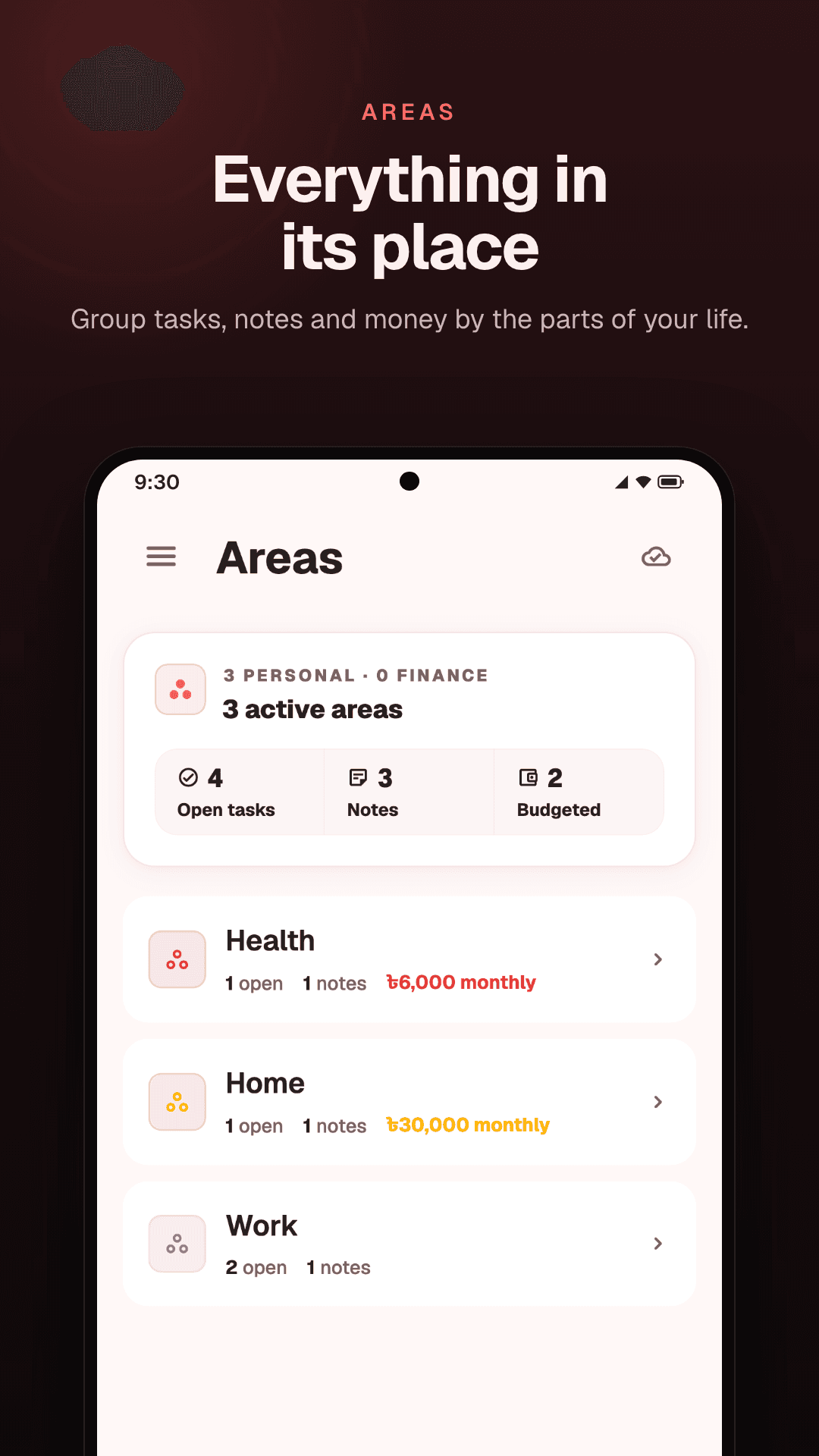
Make an area for each part of your life: Home, Work, Health, Study, or whatever fits yours. Then give each task, note, project or transaction the area it belongs to.
An area can have its own budget, by the month, the year or for all time, and Locus shows how much of it is spent. On the web, each area has a page that lists its tasks, notes, projects and transactions together.
Today
One screen for your day
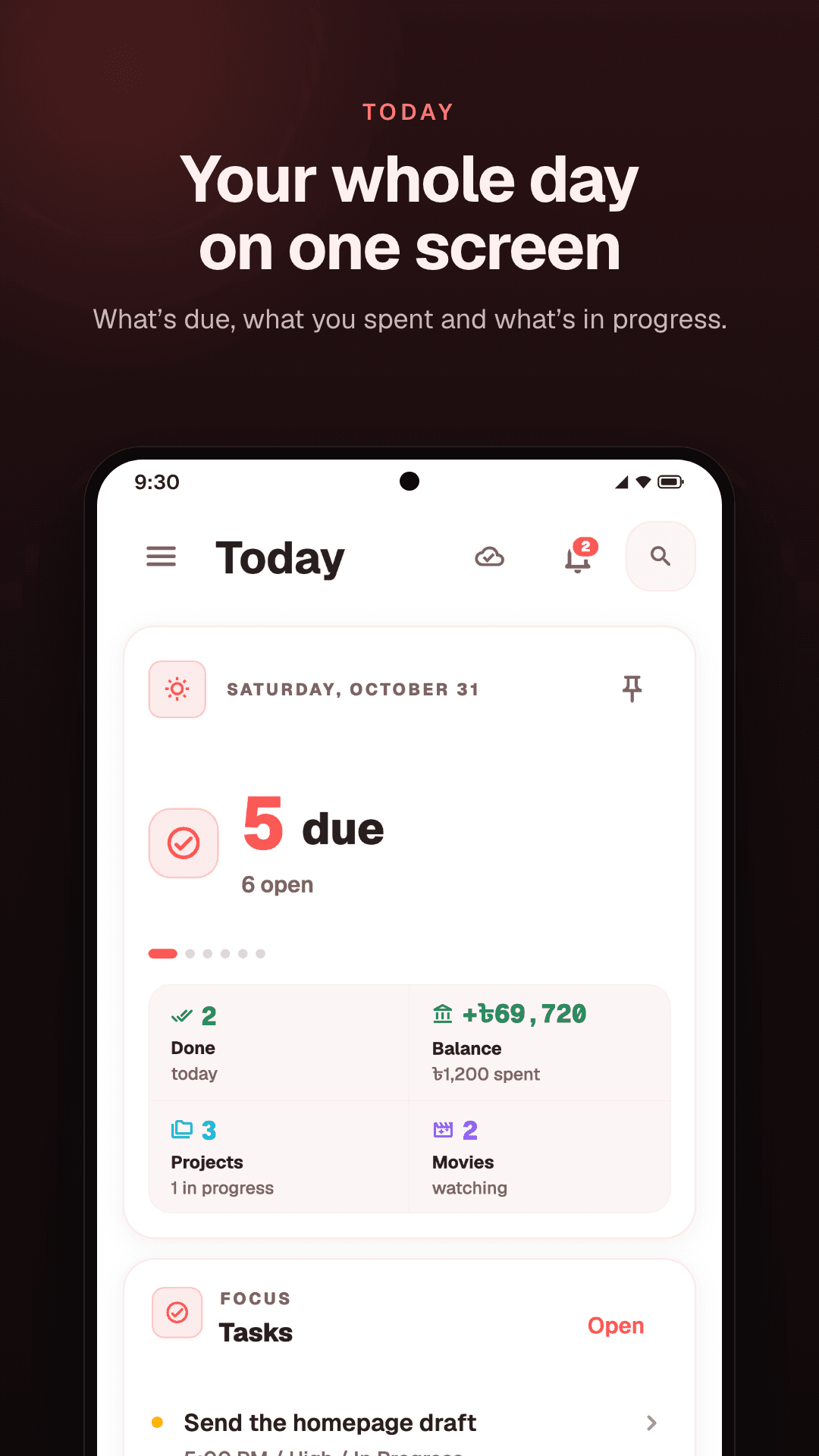
Today on Android, and the Dashboard on the web, bring the parts together: what is due, what you have spent, and what is in progress. It is the screen to open in the morning, and the one to check before you sleep.
In one place
Money, tasks and notes, side by side
- The expense tracker
Money
Record what you spend and earn, see what you spent today, give each area a budget, and keep track of savings and of money you lend.
- The to-do list
Tasks
Tasks with due dates and priorities, as a list, a board or a calendar. Projects break a bigger plan into steps.
- The notes app
Notes
Notes, lists and checklists, with links from one note to another. Tag a note to an area to keep it with the rest of that part of your life.
Search
Find it again
A second brain is only useful if you can get things back out. Search looks through your tasks, notes, money, projects and areas from one box. On the web, press ⌘K or Ctrl+K on any page.
Where it runs
On the web and on Android
Locus runs as a web app in any browser, and as an Android app on Google Play. One account works on both, and you can sign in with Google or with email.
The Android app works offline: changes wait on the phone and sync when you are back online. It also has a few things the web app does not, like Shopping mode and reminders. There is no iPhone app; on an iPhone, use the web app in the browser.
How it works
From sign-up to your first day
- 01
Create a free account
Sign up on the web, or install the Android app. One account works on both.
- 02
Make your areas
Add an area for each part of your life, like Home, Work and Health.
- 03
Write things down
Add tasks, notes and what you spend as they come up, each in its area.
- 04
Check Today
Open Today, or the Dashboard on the web, to see what is due and what you spent.
Questions
Common questions
What is a second brain app?
An app that holds what you would otherwise try to remember: tasks, notes, plans and money. Locus is one for everyday life, so a to-do, a shopping list and what you spent this week sit in the same place.
Is Locus free?
Yes. Locus is free to use. There are no ads, and your data is not sold.
Can I use Locus on an iPhone?
There is no iPhone app. On an iPhone, open the web app in the browser at locusapp.org. It uses the same account as the Android app.
Does it work offline?
The Android app does. Changes are saved on the phone and sync when you are back online. The web app needs a connection.
Which features are only on Android?
Shopping mode, reminders on tasks and notes, home-screen widgets, and pins, labels and a trash for notes.
What happens to my data?
Locus keeps it to run the app for you. It is not sold, and it is not used for ads. You can delete your account and its data at any time, and the privacy policy has the details.
Keep reading
- Expense trackerYour balance, what you spent today, a budget for each area, and savings.
- To-do list appTasks with due dates and priorities, as a list, a board or a calendar.
- Notes appNotes, lists and checklists, with links from one note to another.
- Lending trackerMoney you lend and borrow, each return, and who still owes you.
- What is a second brain?What it means in plain words, what to keep in one, and how to keep it working.
- A budget you will keepA monthly budget built on the parts of your life, and a daily check that keeps it.
Give everything a place.
Money, tasks and notes in one calm app, on the web and Android.
Free · No ads · On the web and Android