Notes app
Notes, lists and checklists in one place
Write a note, make a list, or tick through a checklist. Link one note to another, give notes a colour, and keep each one with the part of your life it belongs to.

Free · No ads · On the web and Android
Writing
One editor for all three
A note can be a few lines, a list, or a checklist you tick as you go, and one note can hold all three. Headings and bold text keep a long note easy to read.
Ideas
Good things to keep in a note
Lists to tick
Shopping, packing and to-buy lists, as checklists you tick off and untick to use again next time.
Plans and ideas
A trip, a gift for someone, the first thoughts on a project. Link each one to the notes it grows into.
Things to look up later
The plumber who did a good job, the size of a window, the steps that fixed the router last time.
Links
Link one note to another
Write the title of another note in double square brackets, like [[Packing list]], and the two are linked. On the web, a note shows which notes link to it and which it links to. On Android, tapping a link opens that note, or offers to make it if it does not exist yet.
Links are how notes start to work together. A trip note links to its packing list, a project note to the notes from each meeting, and you follow the link instead of searching.
Order
Colours, favourites and areas
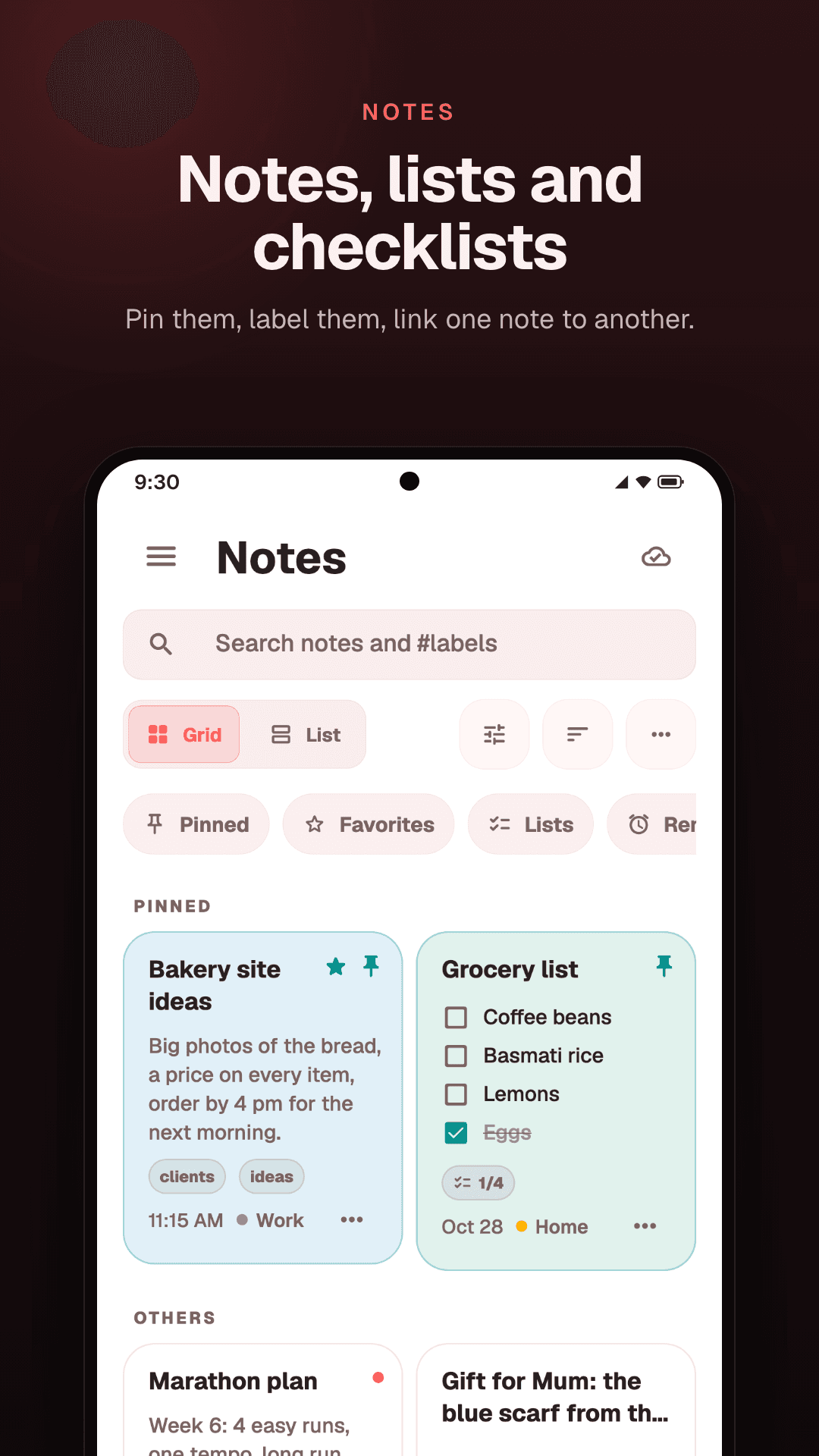
Give a note a colour, star the ones you open most, and tag each note to an area like Home or Work, so it sits with the tasks and the spending of that part of your life.
A colour makes a kind of note easy to spot in a long list: one for recipes, another for work. Archive the notes you have finished with, and bring one back when you need it.
On Android
Pins, labels, reminders and a trash
The Android app adds more: pin notes to the top, add labels and search them with #label, set a reminder on a note, tick a checklist from its card without opening it, and restore a deleted note from the trash for 30 days. You can also copy a note as text or share it.
Search
Find any note
Search inside Notes looks through titles and text. The search at the top of Locus looks across your notes, tasks and money at once, with the results grouped by kind, so a note never hides among your tasks.
How it works
From blank page to a note you can find
- 01
Start a note
Give it a title, or just start writing.
- 02
Make it a checklist
Turn lines into a checklist from the toolbar, and tick items as you go.
- 03
Link it
Put another note's title in double square brackets to connect the two.
- 04
Keep it in its place
Tag the note to an area, give it a colour, and star it if you open it often.
Questions
Common questions
Can I make checklists?
Yes. A note can hold a checklist, and you tick items as you go. On Android you can also tick them on the note's card, without opening it.
Can I format text?
Yes: headings, bold text, bullet lists and checklists, from the toolbar. On the web, the toolbar also has strikethrough.
Can I add labels or tags?
Labels are on Android: add them to a note, filter by them, and search with #label. The web app keeps a note's labels but does not show them.
Is there a trash?
On Android, yes: a deleted note stays in the trash for 30 days and can be restored. The web app has no trash.
Does it work offline?
The Android app does, and syncs your notes when you are back online. The web app needs a connection.
Are my notes private?
Your notes stay in your account: Locus has no shared notes, and it does not sell your data or use it for ads. The privacy policy has the details.
Keep reading
- To-do list appTasks with due dates and priorities, as a list, a board or a calendar.
- Second brain appMoney, tasks and notes in one place, grouped by the parts of your life.
- What is a second brain?What it means in plain words, what to keep in one, and how to keep it working.
- Shopping calculatorAdd up a shopping trip as you go and save the total in one tap. On Android.
Write it down once.
Notes, tasks and money in one place, on the web and Android.
Free · No ads · On the web and Android