Shopping calculator
A shopping calculator that adds up as you go
Shopping mode, in the Locus Android app, is a keypad for a shopping trip. Type each price as it goes in the basket, watch the total, and save it to your money in one tap. It is on Android only.

Android only · Free · No ads
The keypad
Type a price, tap Add
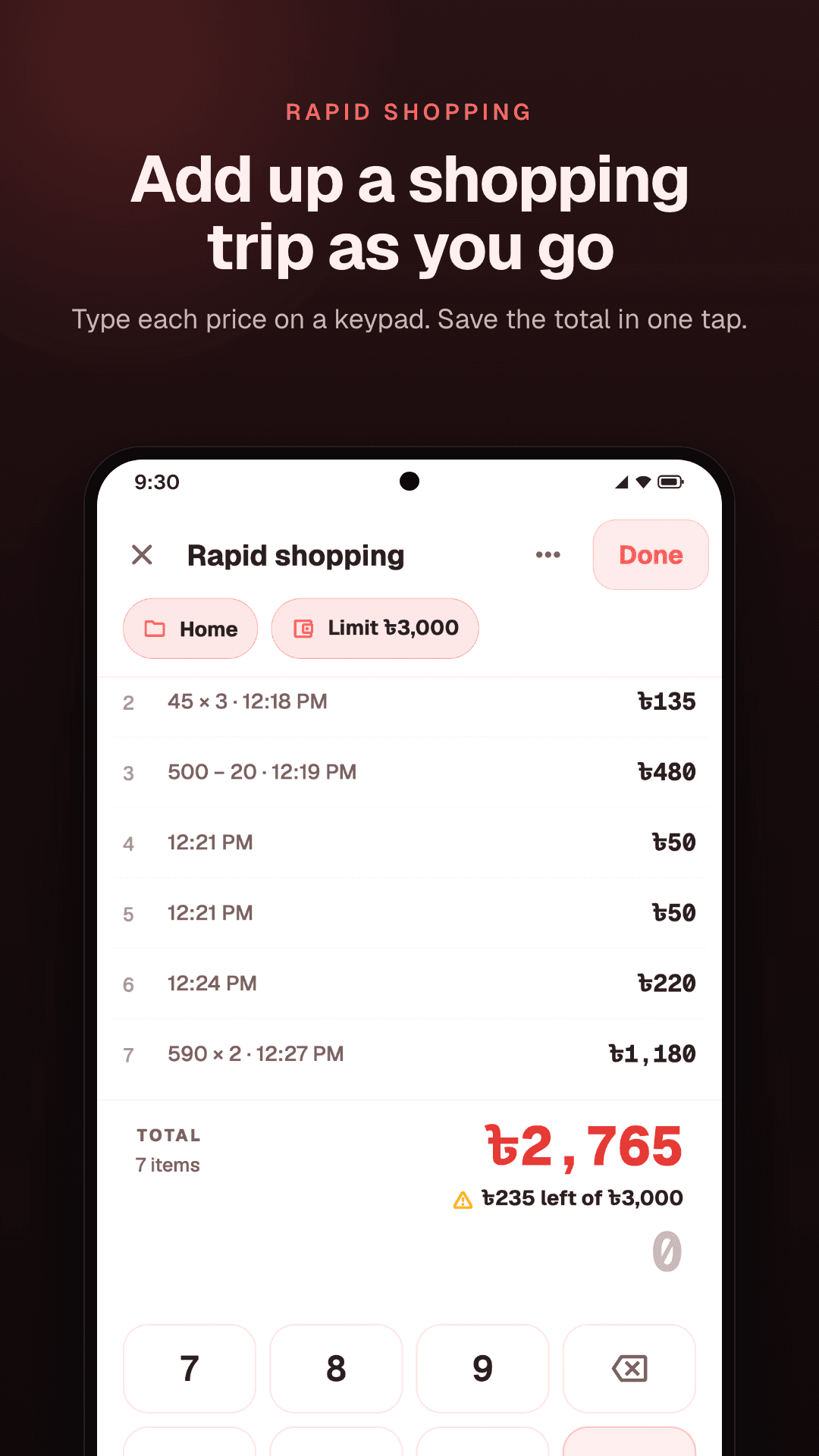
Open Shopping mode from the Money page. Type a price on the keypad and tap Add. That is the whole loop: no name, no area and no questions while you shop.
The total sits at the foot of the list, right above the number you are typing, so you always know where you stand.
Shopping mode
- 1120
- 245 × 3135
- 3500 − 20480
Sums
Sums work too
Buying three of something? Type 45 × 3. Money off? Type 500 − 20. The keypad has plus, minus and times, and each line keeps the sum you typed, so you can check it later.
Limit
Know what is left
Tap Limit and enter what you plan to spend on this trip. As you add prices, Locus shows how much of it is left, and tells you if you go over. With no limit, it shows what is left in the area's own budget instead, if the area has one.
Mistakes
Fix a price without starting over
Typed the wrong price? Tap the line to change it, or swipe it away to remove it. Removed the wrong one? Undo brings it back.
Interrupted
Pick up where you left off
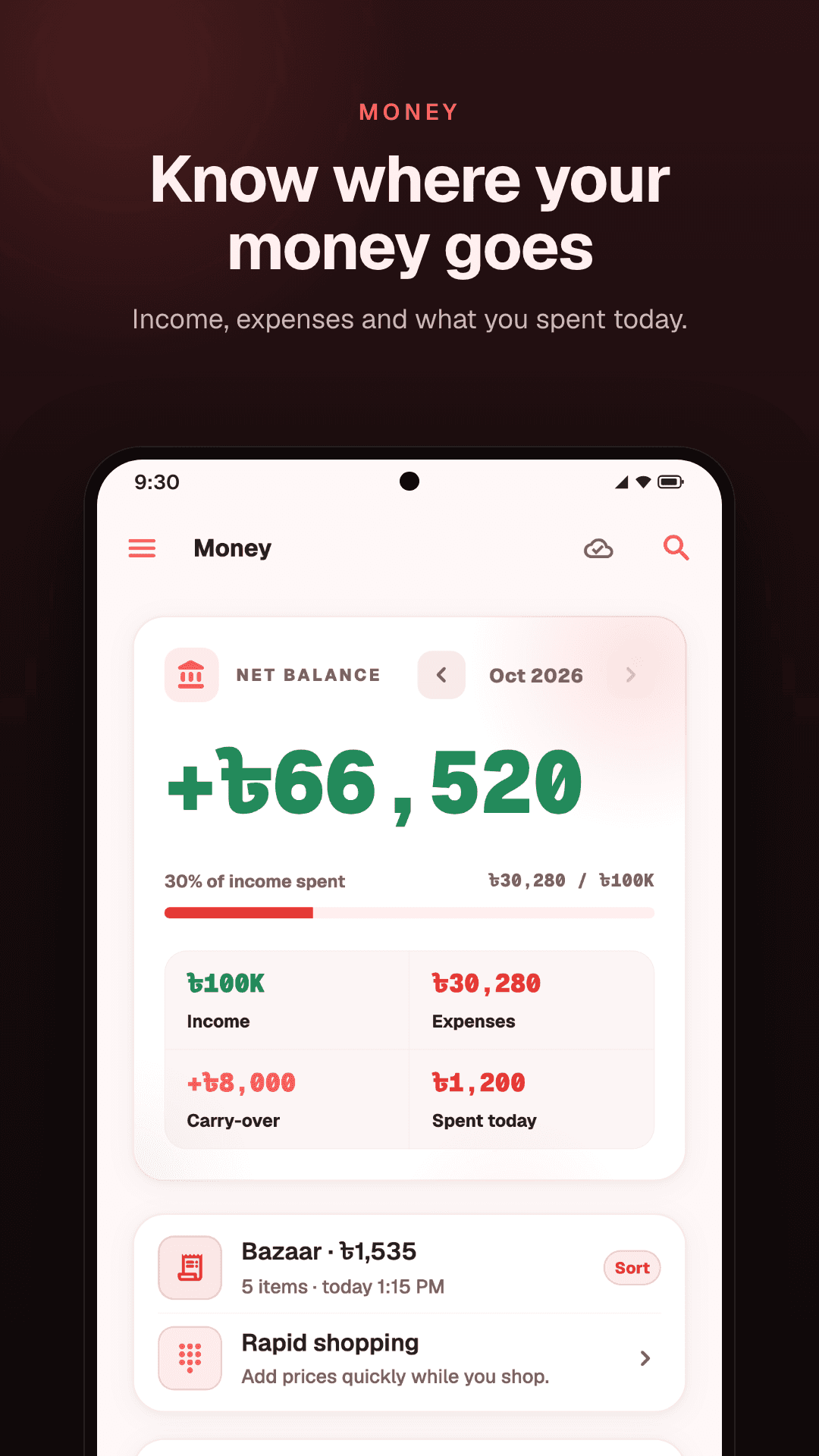
Close Shopping mode in the middle of a trip, to take a call or look something up, and the trip waits for you. The Money page shows it as Continue shopping, with its items and total so far, until you open it again and finish.
Saving
One tap to save the total
Tap Done, and the total goes to Money as one transaction, in the area you chose. Your balance and what you spent today are right before you leave the shop.
Later, at home, open the trip from Money and tap Sort. Keep it as one transaction with a name, or choose Each item to turn every price into a transaction of its own, each with its own name and, if you like, its own area.
Offline
No signal needed
The Android app works offline, so a shop with no signal is no problem. The trip is kept on your phone, and the transaction it saves syncs to your account when you are back online. The web app shows it there too, with the rest of your spending.
How it works
Four steps, one trip
- 01
Install the Android app
Locus is free on Google Play. Sign in, or create an account.
- 02
Open Shopping mode
It is on the Money page. Pick an area and set a limit if you like.
- 03
Add each price
Type it, sums and all, and tap Add.
- 04
Tap Done
The total is saved to Money. Sort it into items later, or leave it as one.
Questions
Common questions
Is it on iPhone or on the web?
No. Shopping mode is only in the Android app. The transactions a trip saves do show on the web, in the same account.
Do I have to name each item?
No. Names can wait until you sort the trip at home, and sorting is up to you: a trip can stay one transaction.
What if I type a price wrong?
Tap the line to change it, or swipe it away. If you remove one by mistake, Undo brings it back.
Does it need the internet?
No. It works offline, and the saved total syncs when you are back online.
Does a trip count toward my budget?
Yes. The total is saved in the area you choose, so it counts toward that area's budget.
Can I set a spending limit?
Yes. Tap Limit and enter an amount, and Locus shows how much of it is left as you add prices.
Keep reading
- Expense trackerYour balance, what you spent today, a budget for each area, and savings.
- A budget you will keepA monthly budget built on the parts of your life, and a daily check that keeps it.
- Lending trackerMoney you lend and borrow, each return, and who still owes you.
- Notes appNotes, lists and checklists, with links from one note to another.
Add it up as you go.
Shopping mode is in the Locus Android app, free on Google Play.
Free · No ads · Shopping mode is on Android only